
WordPress Speed Secrets Revealed: What Web Designers Don't Want You to Know About Mobile-First Sites (2026 Edition)
- Shalena Ward

- Dec 23, 2025
- 6 min read
You're losing visitors every single second your WordPress site takes to load. And if you're not thinking mobile-first in 2026, you're basically throwing money out the window.
Here's the thing most web designers won't tell you upfront: they're often more focused on making sites that look impressive in their portfolios than sites that actually perform. But you? You need a site that converts visitors into customers, not one that wins design awards while hemorrhaging potential sales.
Let me share the speed secrets that'll transform your WordPress site into a mobile powerhouse that actually works for your business.
The Mobile-First Reality Check
Your website visitors aren't sitting at fancy desktop computers anymore. They're scrolling through your site while waiting in line at Starbucks, during their lunch break, or lying in bed at night. And here's what most people don't realize: mobile-first design isn't just about making things look good on phones, it's fundamentally about speed.
When you design mobile-first, you're forced to make every element count. There's no room for bloated features or unnecessary animations that look cool but slow everything down. You're working within stricter constraints, which naturally leads to faster loading times across all devices.
Secret #1: The 2.5-Second Rule That Changes Everything
Here's a number that should keep you up at night: if your Largest Contentful Paint (LCP) takes longer than 2.5 seconds, you've already lost visitors before they even see what you're offering.
Most designers focus on how things look once they load, but they're missing the most critical part, getting something meaningful on screen fast. Your LCP measures when the largest piece of content (usually your hero image or main headline) becomes visible to users.
You can check this right now using Google's PageSpeed Insights. Just plug in your URL and prepare yourself for some potentially sobering news. But don't worry, we're about to fix it.
Secret #2: Images Are Your Biggest Enemy (And Best Friend)
Images typically eat up 60-80% of your page weight, but most WordPress sites are handling them completely wrong. Here's what actually works:
Lazy loading isn't optional anymore. Every image below the fold should load only when visitors scroll toward it. WordPress has this built-in now, but many themes and plugins interfere with it. Make sure it's actually working by checking your developer tools.
WebP format is your new best friend. It reduces image file sizes by 25-35% without losing quality. Most modern browsers support it, and WordPress can automatically serve WebP versions to compatible browsers while falling back to JPEGs for older ones.
Responsive images that actually respond. Your hero image shouldn't be the same 2MB file whether someone's on a phone or a 4K monitor. WordPress automatically generates multiple sizes, but you need to make sure your theme is actually using them.
Secret #3: The Plugin Purge That Nobody Talks About
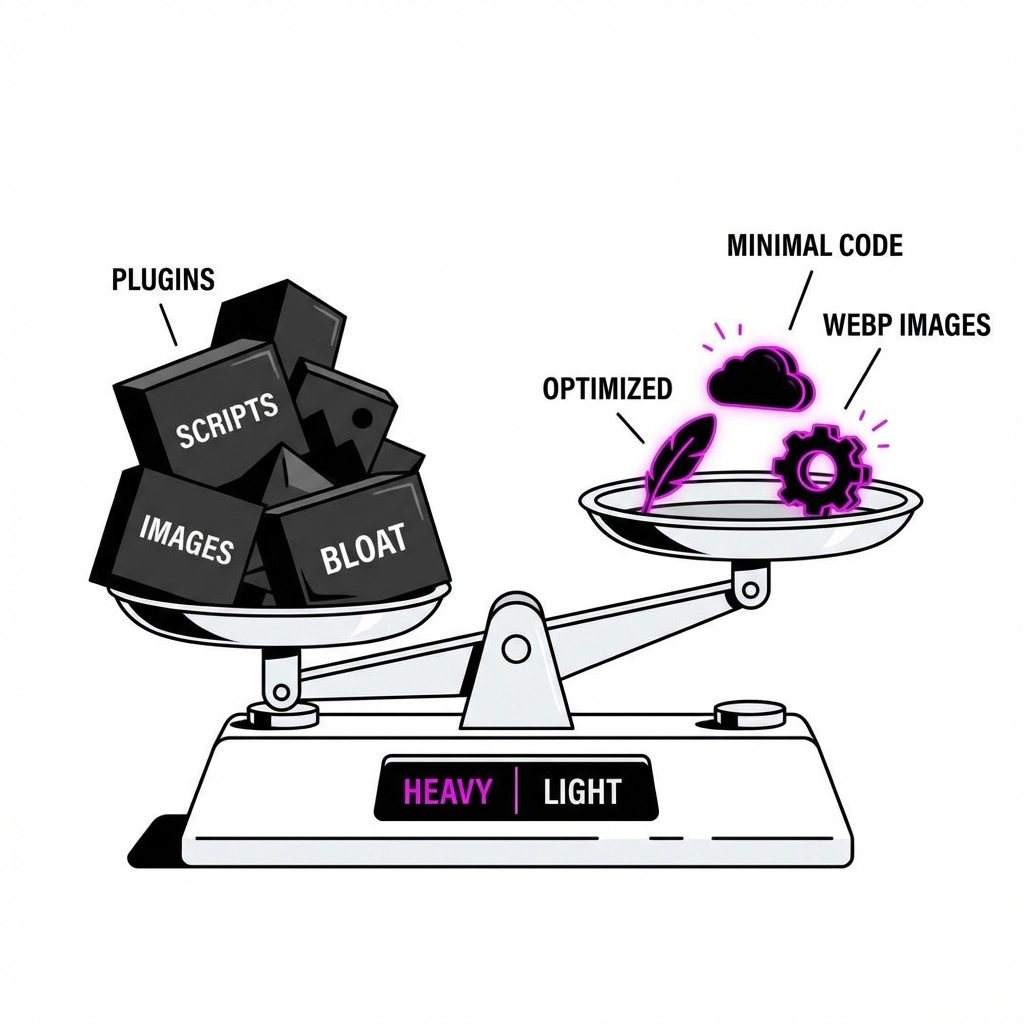
Every plugin you install is like adding another passenger to your already overloaded car. Each one adds its own CSS, JavaScript, and database queries. The result? Death by a thousand cuts.
Here's your brutal audit process: deactivate every non-essential plugin for one week. I'm serious. Keep only the absolute necessities, security, backups, maybe an SEO plugin if it's genuinely helping. Monitor your speed during this week.
Then add plugins back one by one, testing speed after each addition. You'll be shocked at which innocent-looking plugins are secretly destroying your performance.
Pro tip: Some plugins only load their scripts on pages where they're needed, while others dump everything on every page. The latter are speed killers.
Secret #4: Your Theme Is Probably Sabotaging You
Those gorgeous, feature-packed themes from popular marketplaces? They're often performance nightmares. They come loaded with every possible feature because developers want to appeal to everyone, but you're paying the speed penalty for features you'll never use.
Look for themes that prioritize performance over flashy features. Better yet, consider a lightweight theme like GeneratePress or Astra, then add only the functionality you actually need through carefully chosen plugins.
Here's a reality check: if your theme includes a page builder, popup creator, mega menu system, and animation library all built-in, it's probably too heavy. These should be separate, optional tools you add only if needed.
Secret #5: The Code Cleanup That Makes Everything Faster
Your WordPress site is probably loading way more CSS and JavaScript than it needs. Every page loads the styles for your contact forms, even on pages without forms. It loads slider scripts on pages without sliders. It loads social media widgets everywhere, even though they're only used in your footer.
Critical CSS is a game-changer here. This technique identifies the CSS needed to render the above-the-fold content and loads only that initially. Everything else loads after the page appears to be ready.
Minification and concatenation squeeze out unnecessary spaces and comments from your code, then combine multiple files into fewer requests. It's like organizing a messy closet, everything's still there, but it takes up less space and is easier to find.
Secret #6: Mobile Navigation That Actually Works
Here's something most designers get wrong: mobile navigation isn't just about shrinking your desktop menu. It's about completely rethinking how people interact with your site on touch devices.
The hamburger menu debate: Yes, they can reduce discovery, but they also reduce initial page weight by not loading full navigation menus upfront. For most business sites, the speed benefit outweighs the discovery cost.
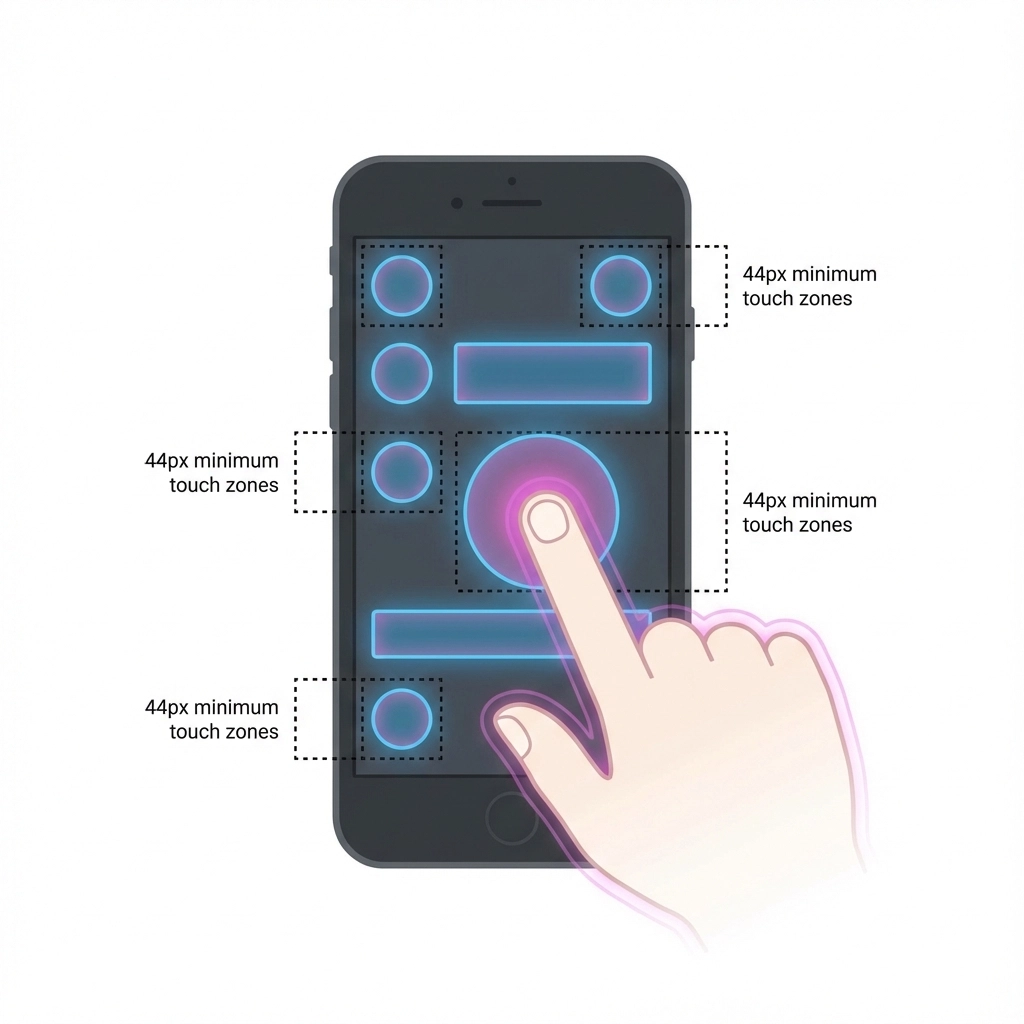
Touch-friendly targets: Your buttons and links need to be at least 44px by 44px. Smaller targets lead to accidental taps, frustrated users, and higher bounce rates. Poor usability kills conversions faster than slow loading.
Smart content prioritization: Your mobile homepage should show your most important content first: your value proposition, primary call-to-action, and core benefits. Everything else can wait or live behind additional taps.
Secret #7: The Testing Reality Nobody Mentions
Here's what most speed optimization advice misses: you need to test on real devices, with real network conditions, in real-world scenarios.
Chrome DevTools' device simulation is a good starting point, but it doesn't replicate the processing power of actual budget smartphones or the reality of spotty cellular connections.
Test your site on an actual 3-4 year old Android phone over a 3G connection. If it feels fast there, you're golden. If not, you still have work to do.
Use Google's Core Web Vitals as your North Star:
LCP under 2.5 seconds
First Input Delay under 100 milliseconds
Cumulative Layout Shift under 0.1
These aren't arbitrary numbers: they're based on actual user behavior data from billions of web interactions.
The Database Cleanup Nobody Remembers
Your WordPress database accumulates digital clutter over time: spam comments, post revisions, unused tags, orphaned metadata. This bloat slows down every database query, which impacts every page load.
Post revisions are particularly sneaky. WordPress saves every draft and revision by default. If you've been blogging for years, you might have thousands of these eating up database space.
Transients and expired data pile up from plugins and themes. Most cleanup plugins can identify and remove this safely, but do your research and backup first.
The CDN Secret That Changes Everything
A Content Delivery Network isn't just for big enterprise sites anymore. Even basic CDN services can dramatically improve your mobile load times by serving static files from servers closer to your visitors.
Cloudflare's free tier alone can provide meaningful improvements. Your images, CSS, and JavaScript files load from their global network instead of your single server location.
For WordPress specifically, look into services that offer specialized optimization: image compression, automatic WebP conversion, and smart caching that actually understands WordPress.
Why This Matters More Than Ever in 2026
Google's Core Web Vitals aren't just ranking factors anymore: they're business survival factors. Users have shorter attention spans, more choices, and higher expectations than ever before.
Your competitors who prioritize speed are eating your lunch while you're still loading. The good news? Most WordPress sites are still doing speed optimization poorly, which means getting this right gives you a massive competitive advantage.

The truth is, most web designers focus on what looks impressive in their portfolios rather than what performs in the real world. But you're running a business, not entering a design contest.
Speed isn't just a technical nice-to-have: it's the foundation that makes everything else possible. Your beautiful design, compelling copy, and amazing products mean nothing if people leave before they experience them.
Start with one optimization from this list today. Test it, measure the improvement, then move on to the next. Your future customers will thank you by actually sticking around long enough to become customers.
Ready to turn your WordPress site into a mobile speed machine? Your visitors: and your bottom line( are waiting.)
Comments